Demo · Land value tax review, owner-occupied residential rate
Match records across systems
This simulated land value tax review replays 73 steps using fictitious data. Mu-AI cross-checks the records and leaves submission to the case officer.
Done
The document has reached officer confirmation.
Land, household and tax records match the worksheet. "Submit" is left to the case officer. Mu will not press it.
Loading the demo…
Online document approval
Press "Start" to play step by step
Step 1 / 73
00:00 / 00:49
See all steps
Simulated system and fictitious data, not a real government system. The simulated systems are in Traditional Chinese. The system screens were captured while this workflow ran on the demo system; the spreadsheet and system dialogs are redrawn from the run data. Playback timing comes from one measured run, about 49 seconds in total.
The review in nine stages
The workflow uses a document system, a spreadsheet, a land administration system, an information query platform and the land value tax registry.
The demo uses a simulated system and fictitious data, not a real government system.
- Receive the case and download the application attachment
- Read the land list and family members from the attachment
- Open the document and read the house address and receipt date
- Look up the land register and work out the area limit
- Check household registration, other owner-occupied land and business registration
- Fill in the worksheet and save it
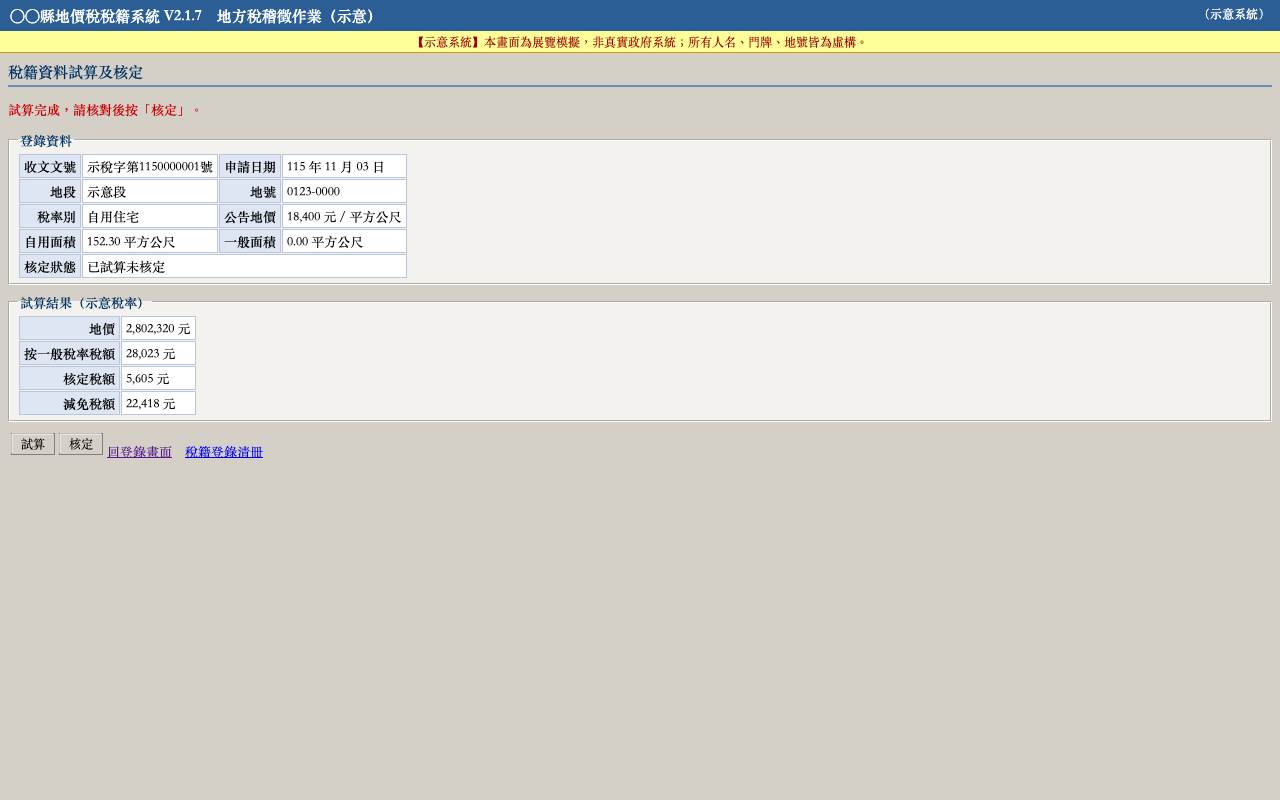
- Register, run the trial calculation and approve in the tax registry
- Upload the worksheet to the document
- Enter the proposed handling and confirm as case officer
Land, household and tax records match the worksheet. "Submit" is left to the case officer. Mu will not press it.
What this demo shows
- Runs the workflow
Once a workflow is learned, Mu runs the steps directly. There is no waiting for AI to think, and the result is the same every time. - Checks every step
After saving, it confirms that "Saved" appears. After the trial calculation, it checks the tax relief amount. If a check fails, it stops instead of pushing on. - Cross-checks the result
At the end, land, household and tax records are compared with the worksheet. Only when they match does Mu hand over to the case officer.
Common questions
- Is this a real government system?
- No. The demo uses a simulated system and fictitious data. The system screens were captured while the workflow ran on the demo system; the spreadsheet and system dialogs are redrawn from the run data.
- Is AI thinking while the demo plays?
- No. Once a workflow is learned, Mu runs the steps directly, with the same result every time. Playback timing comes from one measured run of about 49 seconds.
- Why does it stop before "Submit"?
- Because the decision belongs to the case officer. Mu works up to officer confirmation and checks the land, household and tax records against the worksheet. It does not press "Submit".
Want to see Mu operate
your systems?
翔耀實業股份有限公司 × 賀舟有限公司